Keydole on Apple TV
Watch IPTV on Apple TV HD and Apple TV 4K using IPTV Smarters Pro — available directly from the tvOS App Store.
What you need
Before you start, check you have the following.
1. Your device
Apple TV HD or Apple TV 4K running tvOS 15 or later.
2. The app
IPTV Smarters Pro — available on the tvOS App Store.
3. Your credentials
The username and password from your Keydole welcome email. Not signed up yet? Pick a plan.
How to set up
Follow these steps in order. Setup takes 3–5 minutes on most devices.
Step 1: Open the App Store
From the Apple TV home screen, open the App Store using the Siri Remote.
Step 2: Search for and install IPTV Smarters Pro
Select the Search tab and type "IPTV Smarters Pro" — voice input via the Siri Remote works too. Choose Get from the app page. You may be prompted for your Apple ID password or Touch ID confirmation.
Step 3: Accept Terms of Use
Open IPTV Smarters Pro from your Apple TV home screen. On the first launch, scroll down through the Terms of Use and click Accept. You can now add your IPTV channels using one of the two methods below.
Setup via Xtream Codes API
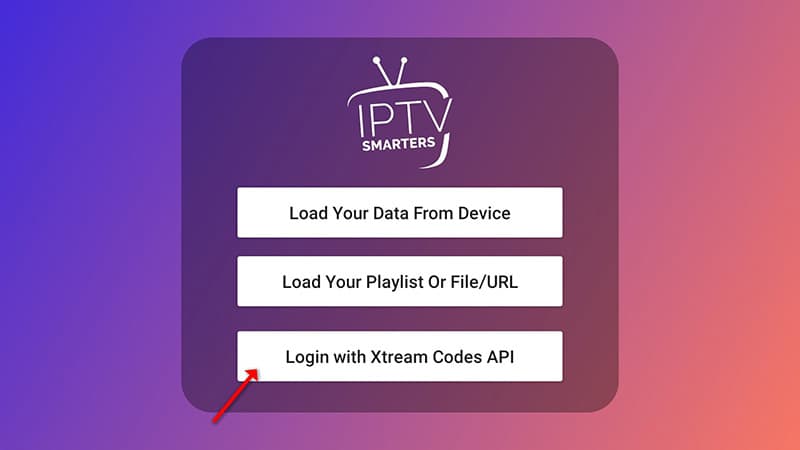
RecommendedOpen "Add user" and choose Xtream Codes
Click "Add user", then select "Login with Xtream Codes API". We recommend this method because it enables the Catchup feature and loads the EPG automatically — no extra URL needed.
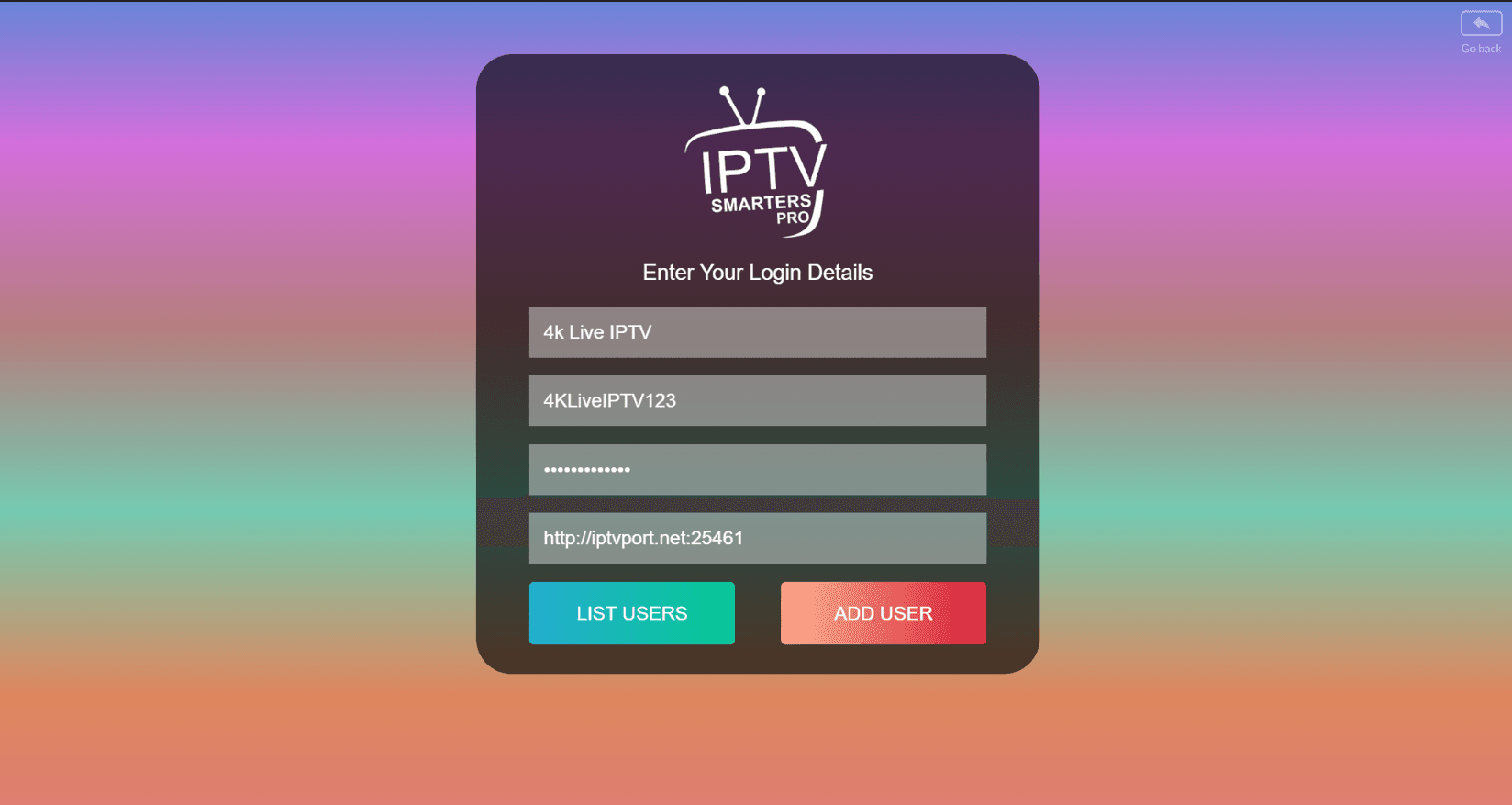
Enter your credentials
In the first box enter any name you like (for example "4K Live IPTV"). In the second and third boxes enter the Username and Password we sent you via WhatsApp, Email or Chat. Enter the Server URL in the final box. Click "ADD USER" to continue.
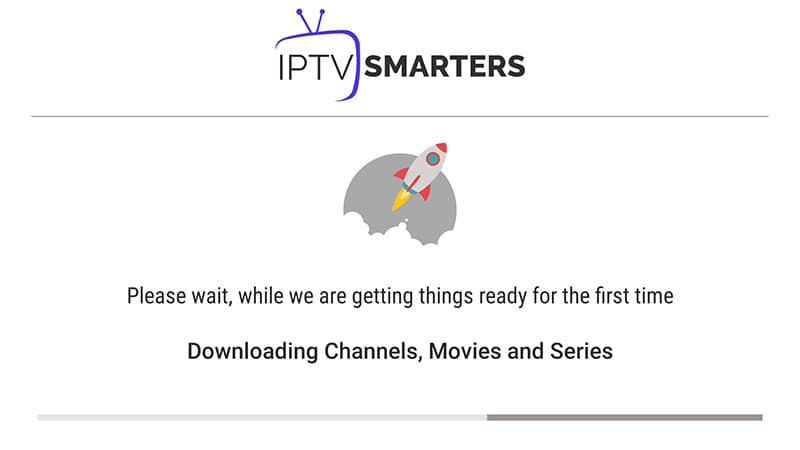
Wait a few seconds
The app will connect to the server and load your channel list. This usually takes 5–15 seconds.
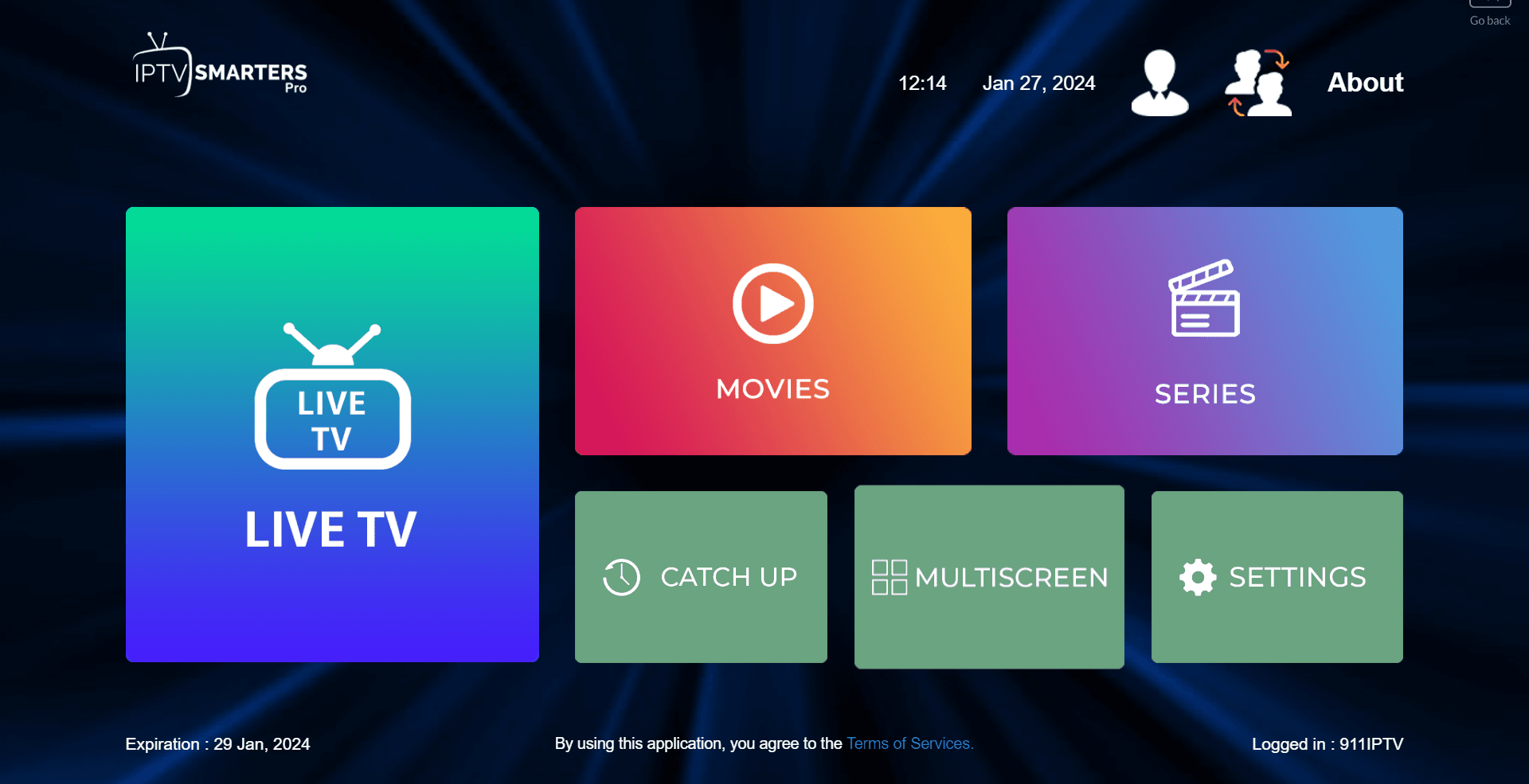
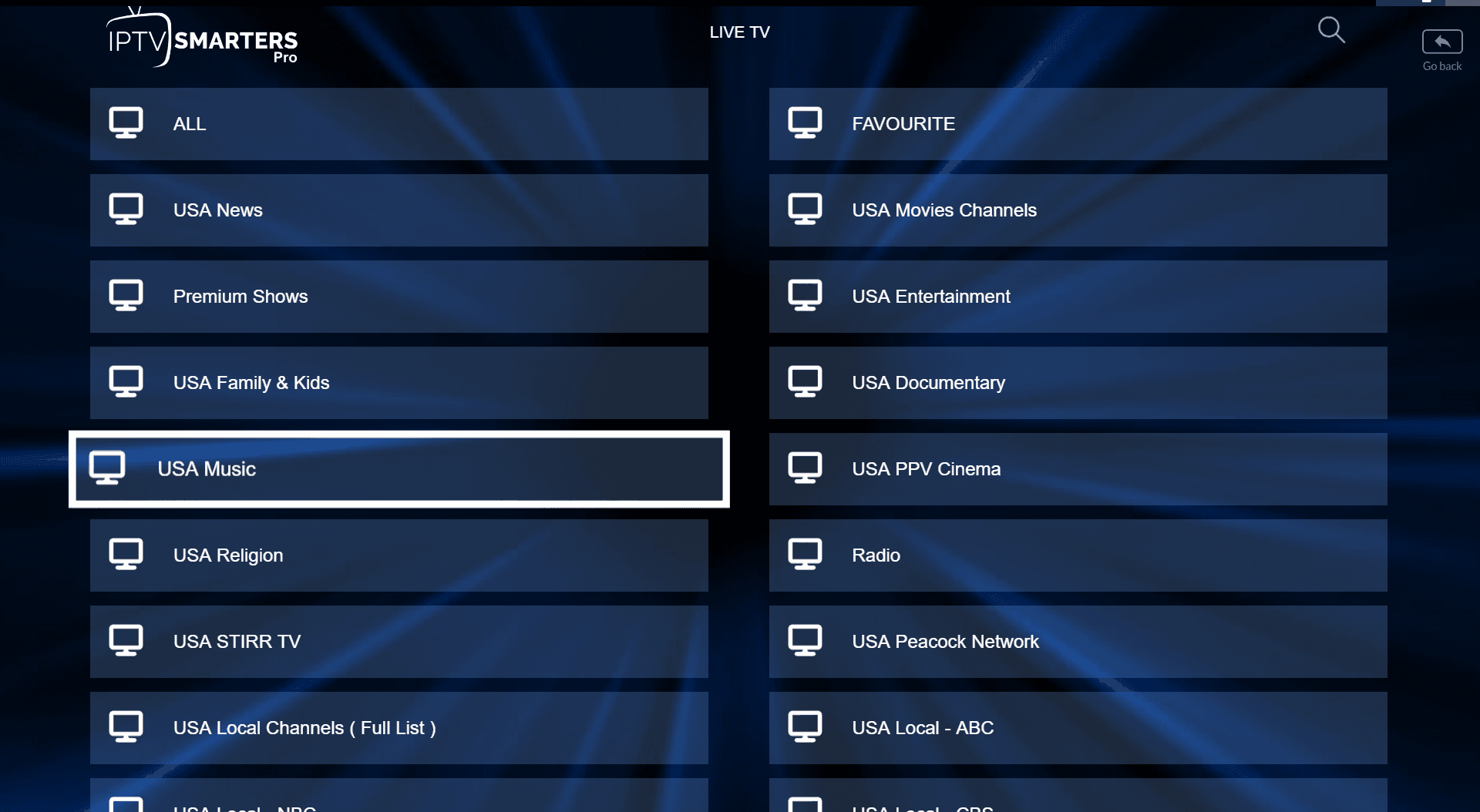
Click the Live TV icon
Once loading is complete, click the "Live TV" icon on the home screen.
Select a channel group
Browse the channel groups and select the one you want to watch.
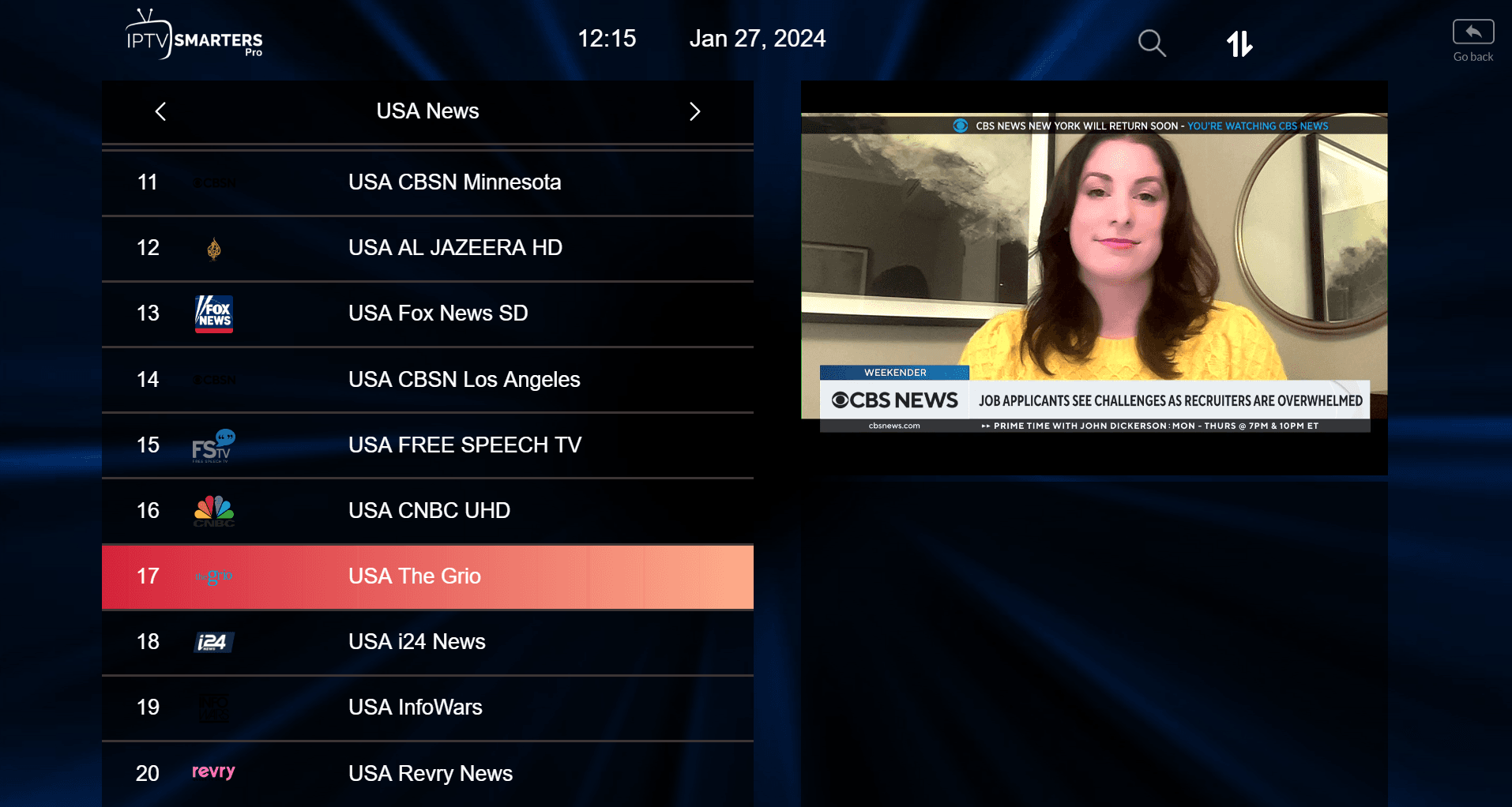
Pick a channel and go full screen
Click the channel name to start playback, then click the small preview screen to switch to full screen.
Setup via Playlist
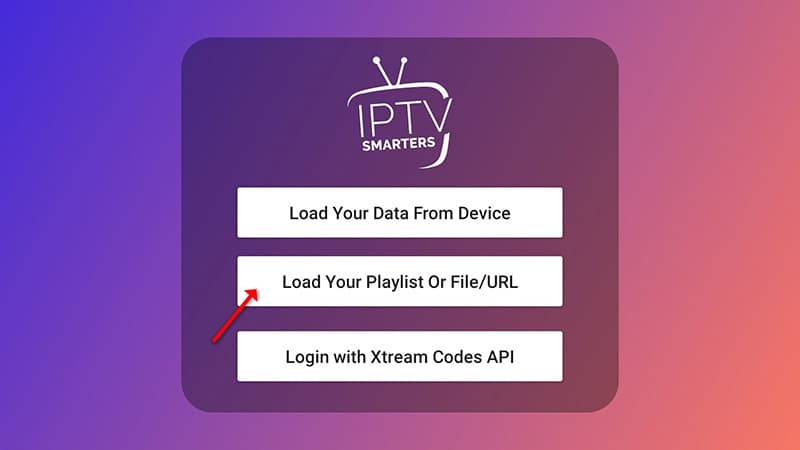
Open "Add user" and choose Playlist
Click "Add user", then select "Login with Playlist". Use this method if you have an M3U URL instead of Xtream Codes credentials.
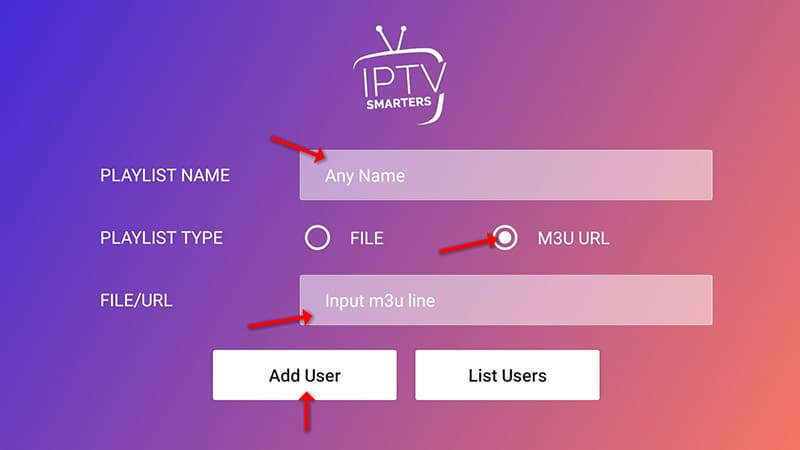
Enter your playlist details
In the first box enter any name you like (for example "IPTV Playlist"). Select "M3U URL" and enter the M3U URL we sent you via WhatsApp, Email or Chat.
Open Live TV and start watching
Click the "Live TV" icon, select your channel group, then click the channel you want to watch.
Screenshots are captured against the current app release and re-shot with every major update.
Troubleshooting
Common issues on this device and the fixes that resolve them.
Can't find IPTV Smarters Pro in the App Store
Check that your Apple ID region is set to United Kingdom in Settings → Users and Accounts. The tvOS App Store is region-locked.
Blank screen after opening a channel
Double-click the TV button on the Siri Remote and swipe up on the IPTV Smarters tile to force-quit, then relaunch. If it recurs, restart Apple TV via Settings → System → Restart.
App disconnects after a few minutes
This is almost always a network issue. A wired Ethernet connection via the Apple TV's USB-C port (with an adapter) gives the most stable bitrate for 4K streams.
4K stream drops to HD
Confirm you have an Apple TV 4K, and that your HDMI cable and TV both support 4K at your target frame rate. A wired Ethernet connection is the most reliable way to hold a 4K bitrate.
Still stuck? Contact support — the form will be pre-filled with your device so we can help without back-and-forth. See more fixes in the general troubleshooting hub.
Also on Keydole
Same subscription — every device you own.
Ready to start on Apple TV?
Pick a plan and your credentials arrive within seconds — activation is instant, on screen and by email.